UI Vs. UX Design
By Sebastien
What is it & Why is it important?
If you ever develop any sort of user-facing technology you’ll be tasked with learning about UI and UX. While they sound similar they’re not quite the same. UI – User Interface Design refers to the elements of a website or service that the user interacts with. This is important to consider when designing things like buttons, images, sliders, or any interactive elements on a website. While UX design refers to the User Experience, this is the process of designing to ensure the final product is useful and usable, aiming for users to be able to use the site or app with the least amount of clicks to achieve the goal they aim for.
User Experience Design Process
User Research
The process of understanding the needs, behaviours and attitudes of users to inform the design and development of products or services. It involves collecting and analysing data about users through various methods such as surveys, interviews, and usability testing.
Wireframing & Prototyping
Once the target customer is fully identified as well as the way they are expected to interact with the product, User Experience Designers can begin wireframing and prototyping, this includes temporary mock-ups to determine the best layouts for web pages, the placement of things like graphical elements, buttons and sliders can be important with the overall finish for the website and therefore these will be decided during this step of the design process.
User Personas & User Journey Maps
Once the target customer is identified, a User Experience Designer may create User Personas. These are generalised pages based on the target customers’ needs, wants, and behaviour. The User Persona can also include things like target customers’ hobbies, skills, likes and dislikes, technology experience etc. All of these things can impact the way a user experiences a product so they are important to consider when designing. Leading on from this, a designer will often create a user journey map, which maps out how a product will be interacted with from start to finish, this could be the way in which a user clicks through a website or the way they open a packet of crisps.
User Testing
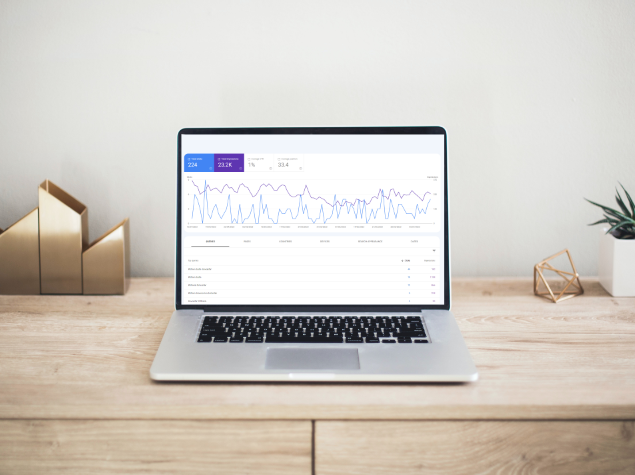
Using the created prototypes and wireframes, a mock design is usually created that can then go to user testing, often Companies will bring in multiple groups of their target audience to learn about how the product flows for them and whether any design decisions need to be made to change the product to make it suit the target audience more.
Any problems identified in this step are usually fixed then the step is rerun again to ensure the problems have been solved and no new problems arise.
Collaboration
Once the final design has been decided on, the user experience designer will collaborate with other stakeholders and designers -usually user interface designers, to build the final product, this includes adding the correct colour palette, page layouts, and final designs for elements.
User Interface Design Process
There are 8 key points to consider when developing a user interface, these are as follows:
Provide Informative Feedback
If a password is required on the website, the strength of the password to be set should be clearly labelled for users – does it need symbols? Capital letters? Or just a number? Making smaller tasks easier for users will guarantee they keep visiting a website.
Consistency
Consistent design throughout the application means using similar patterns, identical terminology, and consistent menus/commands throughout a design to ensure the user doesn’t get confused or frustrated with relearning a design on every page.
Dialog to yield closure
If a user is on an eccomerce site and goes to checkout, the final page they see should be an order confirmed page with a thank you for visiting, this informs the user quite clearly that the outcome they wanted to achieve -shopping on a website, has been completed. This allows users to feel a sense of achievement and relief that they have successfully completed the action they intended.
Navigation via Shortcuts
If the website or product is regularly revisited by people it is important to implement shortcuts, this could be by making buttons at the top of the page to easily visit specific high traffic pages.
Reversible actions
If a user takes the wrong step on a website it is a key point to offer them the ability to reverse this action. If a user is filling out a multi page form, allow the user to return to a previous page to check and rectify any mistakes they may have made instead of forcing the user to start all over again.
Error Prevention
If a button doesn’t work, instead of leaving this as a working button – following the same design as other buttons that do work, grey the button out or strike through the button, this gives the user a clear indication that the button is not available. It’s important to thoroughly test all aspects of a website before launch to reduce errors but if errors do occur it is important to give users a clear explanation as to what error occurred and a simple way to fix the issue. Think about when you get a 404 error on Amazon, this leads to a ‘Refresh the Page’ Instruction, clearly detailing the steps you can take to fix the error.
Hand over control to the user
A user wants to feel like they’re making all the decisions, this can be things as simple as confirming if a user wants to exit a program when they click a cross or confirming a submission to a form upon the click of the submission button, this hands control over to the user and makes them feel like they’re making the decisions.
Hand over control to the user
The final rule of User Interface creation is to ensure that you are minimising the memory load on the user. Making a user remember their own login, forcing them to relogin on every visit or input data each time they complete a step will annoy users and they will choose not to visit the site again. It is important to always choose recognition over recall, visitors to any application want to complete their tasks as quickly as they can, and reducing user input will minimise the time it takes to complete a task significantly.
On top of these 8 key principles for design it is important to ensure any application is designed to the constraints of the company – use colours that customers will recognise, avoid the usage of too many colours, use lines to symbolise where a user may be in their journey and easily identify their next steps to take.
Optimising for mobile is also key in today’s user design, this means ensuring a website on desktop flows just as well as on mobile, a drastic change in design or a broken website on mobile will not only drop the SEO rankings for the website but also reduce the traffic for the website.
Want to see more of our design process at Showroom Network? Check out our portfolio of previous work or stay tuned for more information in the coming months on one of our biggest redesigns yet.
Author Info

Sebastien
Website Developer with a passion for Mental Health.
Latest Blogs

Keyword Research: How to bring customers to your website
October 17, 2024
Contact us today for a free quote and website audit!
Similar Blogs
2025 Digital Marketing Trends
November 27, 2024
Keyword Research: How to bring customers to your website
October 17, 2024